
Written by the CA & Compliance Technology Team, Rudra Capital — resolving DSC issues daily for businesses, directors, and CA firms across Delhi NCR. We provide same-day Class 3 DSC issuance and expert portal configuration support.
Last reviewed: June 2026 | References: CCA (Controller of Certifying Authorities) Guidelines · GSTN emSigner Technical Docs · MCA V3 emBridge Documentation · Income Tax e-Filing Portal Help · IT Act 2000 (Section 2(p))
 Covers: Class 2 vs Class 3 · Token not detected · emSigner errors · emBridge errors · MCA V3 issues · Expired DSC · PAN mismatch · Browser compatibility · Same-day DSC renewal
Your GST return deadline is in two hours. You plug in the DSC token. The portal says emSigner not running. You restart the laptop. Same error. You call your CA. Busy. Deadline approaching.
This is not a rare situation. DSC-related technical failures cost Indian businesses hundreds of crores in late filing penalties every year — not because of compliance failures, but because of software conflicts, expired drivers, portal configuration issues, and hardware token problems that most users have no idea how to diagnose or fix.
This guide is your complete technical and compliance reference. It covers every major DSC problem encountered in 2026 — on every government portal — with exact, step-by-step fixes, not generic advice.
The single most common DSC mistake in India: Using a Class 2 DSC after January 2021. Class 2 DSCs were discontinued by the CCA on January 1, 2021. Every portal — MCA, GST, Income Tax, DGFT — rejects Class 2 certificates. If your DSC is older than 2021, this is your problem. The fix: get a new Class 3 DSC.
What Is a DSC and Who Needs One in India in 2026?
A Digital Signature Certificate (DSC) is an electronic equivalent of a physical handwritten signature. Issued under the Information Technology Act, 2000 by licensed Certifying Authorities (CAs), it uses Public Key Infrastructure (PKI) encryption to verify the signer’s identity and ensure document integrity.
In India, a Class 3 DSC — the only class still issued after January 2021 — is mandatory for:
Government Portals
- MCA/ROC — company incorporation, annual returns, director KYC
- GST Portal — registration, return filing (companies & LLPs)
- Income Tax Portal — ITR verification, form signing (companies)
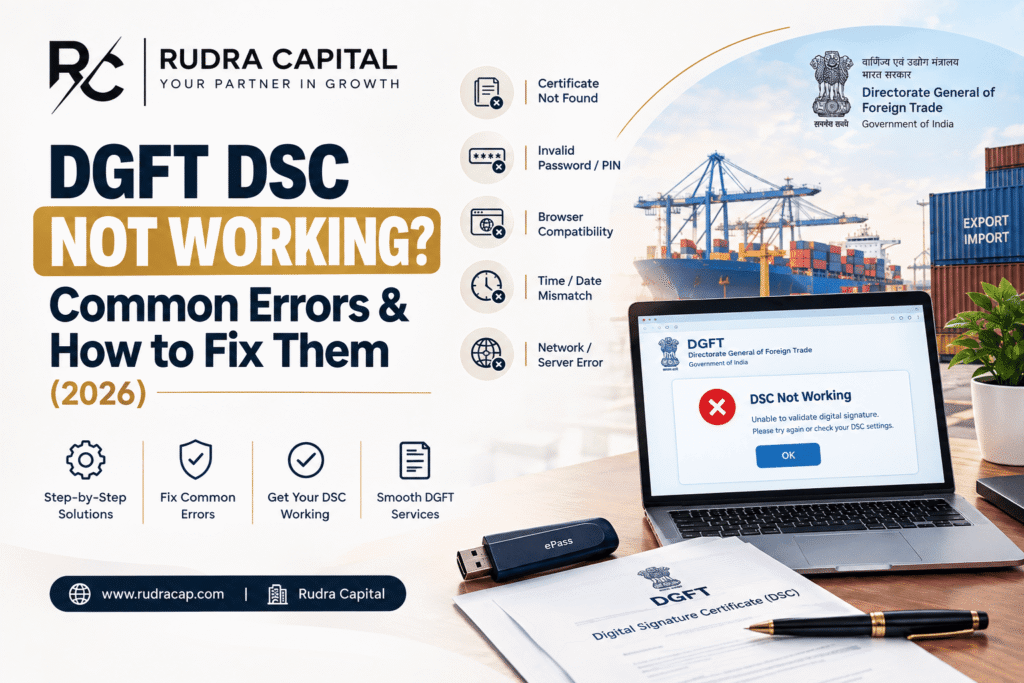
- DGFT Portal — IEC, export licences
- GeM / Government e-tenders — bid signing
Business Compliance
- EPFO — employer PF challan signing
- MSME & Udyam Portal
- CBIC e-way bill and customs filings
- SEBI/Depository filings
- Legal document e-signing
A Class 3 DSC is valid for 1 or 2 years from the date of issue and comes on a USB hardware token (similar to a pen drive). One token works across all portals.
Quick Diagnostic: Which Problem Are You Facing?
Before diving into specific fixes, identify your exact error from this reference table:
| Error message / symptom | Portal | Jump to fix |
|---|---|---|
emSigner not running / failed to connect | GST Portal | Problem 2 |
DSC not registered / Invalid DSC | Income Tax Portal | Problem 3 |
DSC authentication failed / signing window doesn't open | MCA V3 | Problem 4 |
Token plugged in but portal doesn't detect it | All portals | Problem 1 |
Certificate has expired / Invalid certificate | All portals | Problem 5 |
PAN mismatch / Signer PAN does not match | All portals | Problem 6 |
DSC worked yesterday, not working after Chrome Update | All portals | Problem 7 |
Problem 1 — Token Plugged In But Portal Doesn’t Detect It
Root cause: Missing, outdated, or incorrectly installed USB token driver. Every token brand — ePass 2003, Watchdata ProxKey, Hyp2003, TrustKey, Feitian — has its own proprietary driver. If that driver is absent, corrupted, or conflicting with a driver from another token brand, the browser and signing utilities cannot read the token.
Step-by-step fix
1
Unplug the token. Open Device Manager (Win + X → Device Manager). Look for the token under “Smart Card Readers” or “Human Interface Devices.” A  yellow warning icon = driver problem.
2
Identify your token brand: look at the USB device’s physical label or check the manufacturer’s sticker on the token body.
3
Download the correct driver from the manufacturer’s website:
• ePass 2003 → ePass2003Auto.exe from Feitian Technologies
• Watchdata ProxKey → ProxKey Manager from Watchdata Technologies
• Hyp2003 → HyperTerm from Hypersecu
• Safe Net → SafeNet Authentication Client
4
Uninstall all other token drivers first. Multiple token utility installations on the same machine conflict with each other. Remove all previous installs via Control Panel → Programs → Uninstall. Only one token driver suite should be present.
5
Install the correct driver. Restart the computer. Plug in the token. The Device Manager should now show it without the warning icon. Return to the portal and retry.
Also check: Ensure your system clock shows the correct date and time. Certificate validation fails if the system date is wrong — the PKI infrastructure checks certificate validity against the current timestamp.
REQUIRE DIGITAL SIGNAURE CERTIFICATE (DSC) on same day – Click Here OR Contact us on +91-9953572838. You can also click on WhatsApp Button on bottom right of this page.
Problem 2 — emSigner Error on the GST Portal
The GST Portal uses a separate utility called emSigner to handle DSC signing. emSigner runs as a background service on port 1585 and communicates with the browser. The most common error messages:
"Failed to establish a connection with the server""emSigner is not running. Please start emSigner.""Sorry! Digital Signature Certificate Missing"
Step-by-step fix
1
Go to the GST portal → Downloads → emSigner. Download the latest version.
2
Uninstall the existing emSigner completely before installing the new one. Running two emSigner versions simultaneously causes port 1585 conflicts.
3
After installing, find emSigner in the Start Menu or Program Files. Right-click → “Run as Administrator.” This single step resolves 70% of emSigner connection failures — the service needs elevated permissions to open port 1585.
4
Check the system tray (bottom-right of taskbar): a blue emSigner icon confirms the service is running. If it is not in the tray, emSigner did not start — check Windows Defender / antivirus for blocking.
5
In Chrome: go to Settings → Privacy and Security → Site Settings → Additional Content Settings → Insecure content → Add https://gst.gov.in to the Allow list. This permits the HTTPS page to communicate with the HTTP localhost emSigner service.
6
Refresh the GST portal page. Plug in token when prompted. If asked for PIN, enter your token PIN (not a system password — the PIN was set when the DSC was issued, default is often 12345678 or the CA’s set PIN).
✓ PAN Verification Failed on GST Portal? If you see “PAN Verification Failed” after the emSigner connects, the DSC’s PAN does not match the Authorised Signatory’s PAN on your GST registration. Go to: GST Portal → My Profile → Register / Update DSC. Deregister the old DSC and register the correct one linked to the matching PAN.
Problem 3 — DSC Not Working on the Income Tax Portal (emBridge)
The Income Tax e-filing portal uses emBridge — a different utility from emSigner. Confusing the two is one of the most common troubleshooting errors. If you install emSigner and try it on the Income Tax portal, it will not work — and vice versa.
Error messages on the Income Tax portal typically read:
"DSC not registered""Invalid DSC — certificate serial number does not match""emBridge service is not running"
The renewal trap: When you renew your DSC, you receive a new certificate with a new serial number. Even though your PAN and name remain the same, the Income Tax portal still has the old serial number registered. The new DSC will always be rejected until you explicitly deregister the old one and register the new certificate.
Step-by-step fix
1
Download emBridge from embridge.emudhra.com. Uninstall any previous version first.
2
Install emBridge. Confirm it appears in your system tray after installation.
3
Log in to incometax.gov.in → My Profile → Register DSC. Click “Deregister” on the existing (old) DSC entry. Then click “Register DSC.”
4
Plug in the new token. The portal will detect the certificate via emBridge. Select your certificate from the dropdown, enter the token PIN, and click Register.
5
Log out and log back in. Test DSC signing on a non-critical action. If PAN-Aadhaar link is not done, DSC registration may fail — check your PAN-Aadhaar link status on the income tax portal first.
Problem 4 — DSC Not Working on MCA Portal V3
MCA Portal V3 — launched in 2022 — moved away from the older Java-based signing applets to emBridge (same as Income Tax). Many users still have the old Java-based signing utility from MCA V2 installed, which conflicts with emBridge.
Additional MCA V3-specific requirements:
- Use Google Chrome or Microsoft Edge — Firefox and Internet Explorer are not reliably supported on MCA V3
- The DSC must be mapped to the same PAN as the Director Identification Number (DIN) being used in the filing. Even a minor name spelling difference between the DSC certificate and MCA records blocks signing.
- Clear Chrome cache completely (Settings → Privacy → Clear browsing data → All time → Cookies and cached files) before attempting after a failed sign attempt
- In Chrome Settings → Site Settings → Additional Content Settings → Insecure Content: add
https://www.mca.gov.into the Allow list
✓ New July 2025 MCA V3 requirement: For certain forms including AOC-4, MCA V3 now requires a photograph of the registered office premises with a director visibly present as an attachment. Ensure this is ready before starting the signing session — incomplete attachments cause the signing step to fail even when the DSC itself is working correctly.
REQUIRE DIGITAL SIGNAURE CERTIFICATE (DSC) on same day- Click Here OR Contact us on +91-9953572838. You can also click on WhatsApp Button on bottom right of this page.
Problem 5 — Expired DSC: No Grace Period, Immediate Renewal Required
A Class 3 DSC is valid for either 1 year or 2 years from issuance. When validity expires, the certificate is immediately and automatically invalid. No portal will accept it. There is no grace period.
The consequences hit hardest when expiry coincides with a compliance deadline:
If DSC expires before MGT-7 due date:
Director cannot sign. Form cannot be filed. ₹100/day late fee starts accumulating. DIN remains active but form submission is blocked.
If DSC expires before GST return due date:
GSTR-3B cannot be signed digitally. EVC (Electronic Verification Code) can be used as a fallback for some taxpayers — but companies and LLPs mandatorily require DSC.
✓ Same-Day DSC Renewal at Rudra Capital: DSC renewal is 100% online — Aadhaar OTP or video-based KYC, no physical visit required. At Rudra Capital, we issue renewed Class 3 DSCs within working hours. The renewal process also includes driver installation guidance and portal re-registration support.
Renewal timeline tip: Initiate DSC renewal at least 30 days before expiry. Do not wait for the expired error message — by then you may already be in penalty territory on dependent compliance deadlines.
Problem 6 — PAN Mismatch Between DSC and Portal Records
A DSC is issued against a specific PAN and the applicant’s name exactly as it appears on the PAN card. When the portal cross-checks this against its own records — the Authorised Signatory on GSTIN, the DIN on MCA, the taxpayer on the Income Tax portal — any name discrepancy causes rejection.
Common name mismatch scenarios:
- DSC says “Rahul Kumar Sharma” but GST portal authorised signatory is listed as “R.K. Sharma”
- Company changed name after DSC was issued — DSC still shows old name
- Father’s name included in DSC but not in portal records or vice versa
- Two middle names handled differently — one record has both, another has only one
How to check the name in your DSC certificate:
Press Win + R → type certmgr.msc → Enter. This opens the Windows Certificate Manager. Navigate to Personal → Certificates. Find your DSC (usually identified by your PAN or name). Right-click → Properties → Details → Subject field. The name shown here is the exact name in your DSC.
Compare this with the name in the portal’s authorised signatory or director records. If different, the solution is either: (a) update the portal records to match the DSC name, or (b) obtain a new DSC with the correct name matching portal records.
Problem 7 — DSC Stopped Working After a Chrome or Edge Update
This is an increasingly common issue as browsers release security updates that restrict connections between HTTPS pages and localhost services (like emSigner on port 1585 or emBridge on its port). After a browser update, a previously working DSC setup can suddenly stop working.
| Portal | Utility | Recommended browser | Quick fix if Chrome fails |
|---|---|---|---|
| GST Portal | emSigner | Chrome (latest) | Try Mozilla Firefox or Edge; allow insecure content for gst.gov.in |
| Income Tax Portal | emBridge | Chrome or Edge | Switch to Edge; disable Chrome extensions temporarily |
| MCA V3 | emBridge | Chrome or Edge | Clear all cache; allow insecure content for mca.gov.in |
| e-Tender portals | Varies by portal | Check portal’s system requirements | Some portals still require Edge IE Mode or specific plugin versions |
✓ Universal browser fix that resolves 80% of post-update issues:
(1) Clear all browser cache and cookies — go to Settings → Privacy → Clear browsing data → All time → Cookies + Cached images.
(2) Open an Incognito/Private window and try signing — if it works in Incognito, a browser extension is blocking the signing service.
(3) Go to Extensions and disable ad-blockers, VPN extensions, and security plugins one by one until the signing works again.
REQUIRE DIGITAL SIGNAURE CERTIFICATE (DSC) on same day- Click Here OR Contact us on +91-9953572838. You can also click on WhatsApp Button on bottom right of this page.
One Class 3 DSC — All Government Portals Covered
A frequently asked question: “Do I need separate DSCs for GST, MCA, and Income Tax?”
The answer is No. A single Class 3 DSC covers every government portal in India. The same physical USB token and certificate works on GST, Income Tax, MCA, DGFT, EPFO, GeM, and e-tender portals. You simply need to register/map it on each portal you use. The registration process takes 2–5 minutes per portal.
| Portal | Where to register DSC | Utility needed |
|---|---|---|
| GST Portal | My Profile → Register / Update DSC | emSigner |
| Income Tax Portal | My Profile → Register DSC | emBridge |
| MCA Portal V3 | Auto-detected during form signing via emBridge | emBridge |
| DGFT Portal | Profile → My DSC | emBridge |
| GeM / CPPP e-Tender | Account Settings → Digital Signature | Portal-specific (usually emBridge or emsigner) |
When to Stop Troubleshooting and Call for Expert Help
If you have tried all the fixes above and your DSC still does not work, the issue is likely one of these deeper problems that require professional intervention:

Certificate store corruption — the Windows certificate store has a corrupted entry. Requires removing all certificates from certmgr.msc and reinstalling the DSC certificate from scratch. Attempting this without guidance can cause further damage.
Physical token hardware failure — the USB token itself is damaged or its HSM (Hardware Security Module) has malfunctioned. No software fix resolves this; a replacement token with a new DSC is required.
PAN not linked to Aadhaar — portals that validate against Aadhaar-PAN link (Income Tax portal for some operations) will reject DSC registration if the link is incomplete. Check and complete PAN-Aadhaar linking first at the Income Tax portal.
Urgent compliance deadline with broken DSC — if a filing deadline is today or tomorrow and your DSC troubleshooting is consuming hours, the fastest solution is a same-day DSC replacement from Rudra Capital — not continued troubleshooting.
DSC not working before a deadline? Same-day help available.
Rudra Capital provides same-day Class 3 DSC issuance — 100% online, Aadhaar OTP or video-based KYC, no physical visit required. We also provide portal configuration support: driver installation, emSigner and emBridge setup, and step-by-step portal registration on GST, Income Tax, and MCA.
Valid for: MCA, GST, Income Tax, DGFT, GeM, EPFO, e-tender portals — one DSC covers all.

FAQs — Digital Signature Certificate India 2026
Related reading: Require Private Limited Company Registration – Click here · Private Limited vs LLP vs OPC – Which is the best option?? · GST Pain Points 2026 · Require Digital Signature Certificate (DSC)