✍️
Written by the Digital Signature & Compliance Team, Rudra Capital — we issue, register, and troubleshoot DSC tokens for MCA/ROC filings every week, and get directors and company secretaries unstuck when the portal won’t cooperate.
Last reviewed: September 2026 | References: CCA (Controller of Certifying Authorities) Guidelines · GSTN emSigner Technical Docs · MCA V3 emBridge Documentation
Digital Signature Certificate
September 2026 · 12-min read
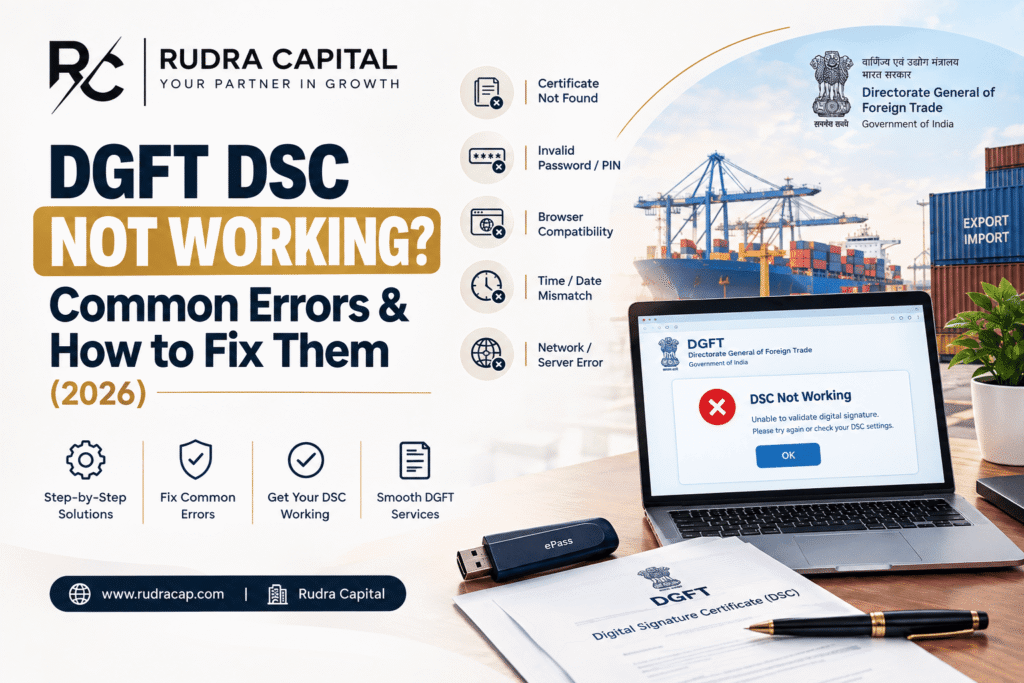
📍You’ve filled out your ROC form, plugged in your token, and the MCA V3 portal just won’t sign. Here are the 15 most common reasons why — and how to fix each one, in plain language.
The MCA V3 portal has a reputation, and it isn’t a good one. Since all e-form filings fully moved to V3 in mid-2025, “DSC not associated,” signing failures, and blank error messages have become one of the most common last-minute panics for directors and company secretaries. Some of it is genuinely the portal’s fault. Some of it is a fixable setting on your own computer. This guide walks through both kinds, honestly, so you know which one you’re dealing with.
Worth knowing before you troubleshoot: A fire at MCA’s primary data centre in June 2026 forced a switchover to their disaster recovery site. MCA has publicly confirmed no data was lost, but has also acknowledged ongoing “capacity enhancement and restoration” work well into the following months — meaning if the portal feels unusually slow or glitchy right now, part of that genuinely isn’t you. That said, most DSC signing failures are still one of the 15 causes below — worth ruling those out first.
The 15 Most Common MCA DSC Errors
- You’re logged in as a “Registered User,” not a “Business User.” This catches more people than anything else on this list. A Registered User account cannot associate a DSC at all — the account type itself blocks it, with no clear error explaining why. Fix: upgrade your MCA account to Business User first, then try associating your DSC again.
- emBridge isn’t installed, or an old version is. MCA V3 signs through emBridge (by eMudhra) — a different, newer signing bridge than the Java-based tool V2 used. Download the current version directly from the MCA portal’s own link, not a third-party site.
- emBridge isn’t running as Administrator. Right-click the emBridge icon and “Run as administrator,” especially the first time after install or after a Windows update.
- An old V2-era Java signing tool is still installed and conflicting. If you’ve been filing on MCA for years, you may still have the old applet from V2 sitting on your system. Uninstall it — it doesn’t help V3 and actively causes silent signing failures.
- Wrong browser. Use Chrome or Edge. Firefox and Internet Explorer are not reliably supported on MCA V3, and this alone causes a surprising number of “nothing happens when I click sign” complaints.
- Token driver not installed for your exact token and OS. Especially common on Windows 11 with older token models. Download the driver specific to your token brand (ePass, ProxKey, Watchdata, etc.) from the manufacturer, not a generic download.
- Your DSC isn’t mapped to the same PAN as the DIN you’re filing under. The portal checks this specifically. If the PAN on your DSC certificate doesn’t match the PAN linked to the DIN in the form, signing fails — silently or with a vague error.
- A name mismatch between your DSC and your DIN master data. Even a small spelling difference — a missing middle name, an initial versus a full name — blocks signing. Check your DSC’s exact name (via Windows Certificate Manager) against what’s recorded against your DIN.
- A duplicate profile from the V2-to-V3 migration. If your PAN or email is linked to two separate profiles left over from the migration, you may see a “user already exists” error when trying to upgrade to Business User. This needs to be resolved through the MCA helpdesk before you can proceed.
- Portal shows “DSC associated” but signing still fails. This is a known, ongoing portal-side glitch that’s been reported widely — not always something wrong on your end. If your DSC is genuinely correctly registered and this still happens, it’s worth a fresh browser session (clear cache completely) before assuming the fault is yours.
- Token PIN locked after too many wrong attempts. Most tokens lock after 3-10 failed PIN entries depending on the model. This usually needs an unblock through your Certifying Authority, or in some cases a fresh token.
- DSC expired, but the portal record was never updated. Renewing your DSC doesn’t automatically update MCA’s records — you need to re-associate the renewed certificate against your DIN separately.
- You’re trying to use an old Class 2 DSC. Class 2 certificates are no longer issued — everything current is Class 3. An old Class 2 token may still be technically valid until its own expiry, but if you’re renewing or buying fresh, it will be Class 3 regardless.
- You’ve missed the SRN signing/payment window. After your Service Request Number (SRN) is generated, you typically have 15 days to upload the DSC-signed PDF, then payment is due within 7 days of that upload or by the original due date plus 2 days — whichever comes first. Miss this window and the SRN auto-cancels, forcing a fresh filing at full fee. This isn’t a DSC error exactly, but it’s often mistaken for one when a filing suddenly “disappears.”
- General portal instability. As noted above, MCA’s post-fire disaster recovery aftermath has meant intermittent slowness for some users well into 2026. If you’ve genuinely ruled out everything else on this list, this is worth considering — and worth simply trying again a little later, or during off-peak hours.
Still stuck after trying these, with a filing deadline closing in? Sometimes the fastest fix isn’t more troubleshooting — it’s a properly configured, freshly issued DSC token, set up correctly the first time, so you’re not fighting your own hardware and a deadline at the same time.
Talk to our Digital Signature team — we’ll diagnose the issue or get you a working token today. Click here for immediate DSC help or WhatsApp/call us at +91-9953572838
The One Diagnostic Question That Solves Most of This
Before working through the list above one by one, ask yourself: is my MCA account type actually a Business User? This single check — Registered User accounts cannot associate a DSC, full stop — resolves a surprising share of “my DSC isn’t working” cases that people spend hours troubleshooting as a technical fault. It’s worth checking first, every time, before assuming anything is wrong with your token, your browser, or your drivers.
Not sure whether your MCA account is set up as a Business User, or whether your current DSC is even Class 3? These are exactly the kind of things that are invisible until they block a filing — and easy to fix in minutes once someone checks them properly.
Let our Digital Signature team check your account setup and current DSC status. Click here for a free MCA/DSC status check or WhatsApp/call us at +91-9953572838
When to Just Get a New Token Instead of Troubleshooting
Not every DSC problem is worth fighting. If any of these apply, it’s usually faster and cheaper to just replace the token than keep troubleshooting an old one:
- Your token is more than 2-3 years old and this isn’t the first time it’s given you trouble
- The PIN is permanently locked and unblocking isn’t working
- You’re not sure whether it’s a genuine Class 3 token or an old Class 2
- The physical USB device itself looks worn, or the port connection feels loose
- You’re about to go through a filing-heavy season (annual returns, board resolutions) and want one less thing to worry about
A properly issued, correctly registered new token costs less than the time most people spend fighting an old one across a filing deadline.
Tired of fighting the same old token every filing season? Get a new, properly set-up Class 3 DSC token from us — ready to use on MCA, GST, and Income Tax from day one, no configuration headaches.
Our Digital Signature team will get you set up quickly, correctly. Click here to order your new DSC token or WhatsApp/call us at +91-9953572838
How It Works — Getting a New DSC Token From Us
1
Tell us it’s for MCA filing. A quick call or WhatsApp — we’ll confirm you need a Class 3 Signature DSC, individual or organisation type.
2
Quick document and video verification. PAN, photo, and Aadhaar-based e-KYC or video verification — we’ll guide you through it.
3
We issue and configure it properly. emBridge installed correctly, driver sorted, and mapped to the right PAN — before it reaches you.
4
Associate it on MCA and you’re filing. We’ll walk you through associating it correctly with your Business User account so it works the first time.
Don’t let a DSC error be the reason your ROC filing missed its deadline.
Tell us what’s not working, or just tell us you need a new token — we’ll take it from there.
Handling MCA filings for multiple directors, or for several group companies at once? We manage bulk DSC issuance and renewal tracking so you’re never caught out by one expired token holding up a whole filing.
Let our Digital Signature team set up and track DSC tokens for your whole board or group. Click here for bulk/company DSC support or WhatsApp/call us at +91-9953572838
FAQs — MCA Portal – Digital Signature Certificate (DSC) Errors 2026
Q1: Why can’t I associate my DSC on the MCA portal at all?
The single most common reason is that your account is registered as a “Registered User” rather than a “Business User.” Only Business User accounts can associate a DSC on MCA V3. Check and upgrade your account type first before troubleshooting anything else.
Q2: What is emBridge and do I need it for MCA filing?
emBridge is the signing bridge software (by eMudhra) that MCA V3 uses to connect your browser to your USB DSC token. It replaced the older Java-based tool used on MCA V2. Yes, you need it installed and running — ideally as Administrator — for signing to work on the current MCA portal.
Q3: My DSC shows as “associated” but signing still fails — why?
This is a known, widely reported issue on the MCA V3 portal and isn’t always a fault on your end. Try a completely fresh browser session with cache fully cleared first. If it persists despite correct registration, it may be a portal-side glitch worth reporting to the MCA helpdesk, particularly given the ongoing post-fire system restoration through 2026.
Q4: What happens if I miss the SRN signing or payment deadline?
You typically have 15 days after SRN generation to upload the DSC-signed PDF, then payment is due within 7 days of that upload or the original due date plus 2 days, whichever comes first. Miss this window and the SRN auto-cancels — you’ll need to file again from scratch at the full fee.
Q5: Why does my DSC work on other portals but not MCA?
Each government portal — MCA, GST, Income Tax — uses its own signing utility download, and re-registration on each portal is required separately even for the same certificate. A DSC working on GST or Income Tax doesn’t automatically mean it’s registered correctly on MCA — that’s a separate step.
Q6: Is the MCA portal currently having genuine technical problems, or is it usually my setup?
Both are real possibilities in 2026. A fire at MCA’s primary data centre in June 2026 caused a switchover to their disaster recovery site, and MCA’s own circulars describe ongoing restoration work well into the following months. That said, the large majority of individual “DSC not working” cases still trace back to one of the 15 causes in this guide — worth ruling those out before assuming it’s purely the portal.
Q7: How do I know if my current DSC is Class 3?
Class 2 certificates are no longer issued — only Class 3 is available for any DSC purchased or renewed today. If your token is a few years old and you’re unsure, check with your Certifying Authority or send us the details and we’ll confirm it for you.
Q8: My token PIN is locked — can it be fixed, or do I need a new token?
Often it can be unblocked through your Certifying Authority. If unblocking doesn’t work or the token is old anyway, a fresh token is usually the faster path, especially if a filing deadline is close.
Q9: How do I get help right now?
Call or WhatsApp us at +91-9953572838, or reach out at rudracap.com/contact/. Tell us what error you’re seeing and we’ll diagnose it directly, or get you a new working DSC token the same day if that’s the faster path.
Related reading: Digital Signature Certificate — Common Problems & Fixes · FIPS 140-3 DSC Tokens Mandatory From 21 September 2026 · ROC Strike Off Notice Under Section 248 · Get DSC Help — Contact Rudra Capital